The university schedule in Angers does not operate like a high school timetable. The slots change from week to week, the TD groups do not all receive the same information at the same time, and the publication of the schedule follows a calendar specific to each component. Understanding these mechanisms before the start of the semester helps avoid the initial weeks of confusion.
Publication delays by groups and components in Angers
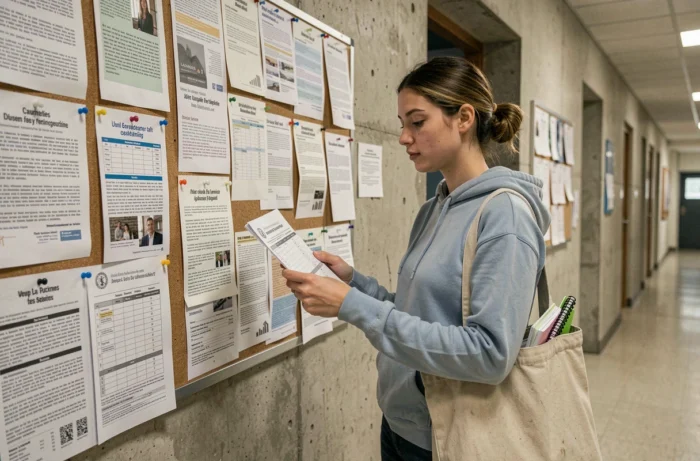
One point that traditional guides do not address: the timetable is not published all at once for all students at the University of Angers. In the PluriPASS program, for example, the sub-groups Angers A, B, and C, as well as the branches in Le Mans and Laval, have their schedules announced on different dates.
This wave-based operation has a direct consequence. A student who checks the ENT too early may only see a partial schedule, or even no slots for their group. Checking the publication date specific to their component helps avoid confusing “not yet published” with “no classes.”
To navigate this system, consulting a detailed guide on the university timetable in Angers helps identify the dissemination channels and usual deadlines by program.
| Channel | Type of information | Update frequency |
|---|---|---|
| ENT (personalized dashboard) | Official timetable, grades, administration | Weekly, sometimes daily |
| Zimbra student messaging | Last-minute changes, cancellations | Variable, often in real-time |
| Display on the component’s website | General schedule by program | At the beginning of the semester and then occasionally |
| Third-party applications (e.g., TimeCalendar) | Automatic synchronization of slots | Depends on the source feed |
The table highlights a key discrepancy: Zimbra messaging transmits changes before the ENT in some cases. A canceled slot in the morning may only appear on the ENT at the end of the day, while the email was sent two hours earlier.

ENT Angers: understanding the student dashboard
The Digital Workspace of the University of Angers now centralizes access to the timetable in a personalized space. This dashboard combines schedule, administration, grades, and educational resources on a single interface.
This centralization changes the way students monitor their schedules daily. Instead of navigating between several pages, students find their slots as soon as they log in. However, the ENT displays the schedule of the group to which the student is assigned, not that of the entire cohort.
A common trap for first-time entrants: not checking their group assignment in the ENT. If the displayed group does not match the one assigned by the administration, all the slots viewed are incorrect. This check takes two minutes and avoids a week of misaligned classes.
Recommended consultation frequency
In PluriPASS, the university’s administration page specifies that the timetable should be checked every week as changes are still possible. This is not generic advice: it is an official instruction from the component.
The good habit is to combine two checks:
- Check the ENT on Sunday evening or Monday morning to identify the week’s slots, assigned rooms, and any potential group changes
- Check Zimbra messaging every morning before leaving home, as last-minute cancellations often transit there first
- Occasionally compare with a classmate from the same sub-group to detect any display discrepancies between two ENT accounts
Synchronization applications: what they capture and what they miss
Tools like TimeCalendar allow for the automatic import of slots from the University of Angers onto a smartphone. The application synchronizes courses, TD, and CM, and displays changes when the source feed is updated.
The weak point of these applications lies in their dependence on the iCalendar or ADE feed provided by the university. If a teacher communicates a room change only by email or physical display, the third-party application will not capture this modification. The tool remains useful for quick consultation but does not replace student messaging.
Multiple calendars and overlaps
TimeCalendar allows importing multiple groups or programs into a single calendar. For a student enrolled in an optional UE linked to another component, this function helps visualize potential overlaps.
The limitation appears when two feeds display contradictory slots. In this case, only the educational secretariat of the main component can confirm the correct schedule. The application displays data; it does not arbitrate it.

Welcome support at the University of Angers: what the university offers
The University of Angers has established a structured support system for first-time entrants. This initiative aims to help new students adapt to university life, a pace where no one checks if you are attending classes or not.
The difference from high school is not limited to the freedom of scheduling. The slots for lectures, TD, and personal work do not follow any fixed grid. One week may have twenty hours of attendance, the next twelve. Without a stable reference, the risk of dropping out in the first weeks is real.
Participating in the welcome initiatives offered by the component (welcome days, tutoring, orientation meetings) helps understand the codes before experiencing them. The dates of these meetings are published on the website of each UFR or institute, with a specific calendar according to the programs.
The most useful reflex for a student starting in Angers remains to systematically cross-check three sources: the ENT for the official schedule, Zimbra messaging for alerts, and direct contact with the educational secretariat when doubts persist. No single tool covers all the information.